Best Resume Screening Tools for Small Recruiting Agencies in 2026
A practical comparison of resume screening tools for small recruiting agencies that need a clearer first-pass review without giving up recruiter judgment.
Resume Selector TeamSep 17, 202613 min read
Small recruiting agencies do not usually need another place to store resumes. They need a dependable way to turn a client brief and a messy batch of files into a shortlist they can explain.
That is why the best resume screening tool for a small agency is rarely the one with the longest feature list. It is the one that fits the point where your team loses time: reading the same information repeatedly, comparing candidates from memory, preparing notes for a client, or chasing hiring-manager feedback. The right tool should make the first pass more structured while leaving the judgment, candidate conversation, and final recommendation with the recruiter.
If you are still defining your process, start with this practical guide to AI-assisted resume screening. It explains the difference between organizing a review and handing a decision to software.
This guide compares tools that can support that work in 2026. Some are full applicant tracking systems. Others are focused on the screening and shortlist stage. That distinction matters. A two-person agency placing recurring roles has different needs from a staffing firm running a large desk, and both have different needs from an in-house talent team.
Quick answer
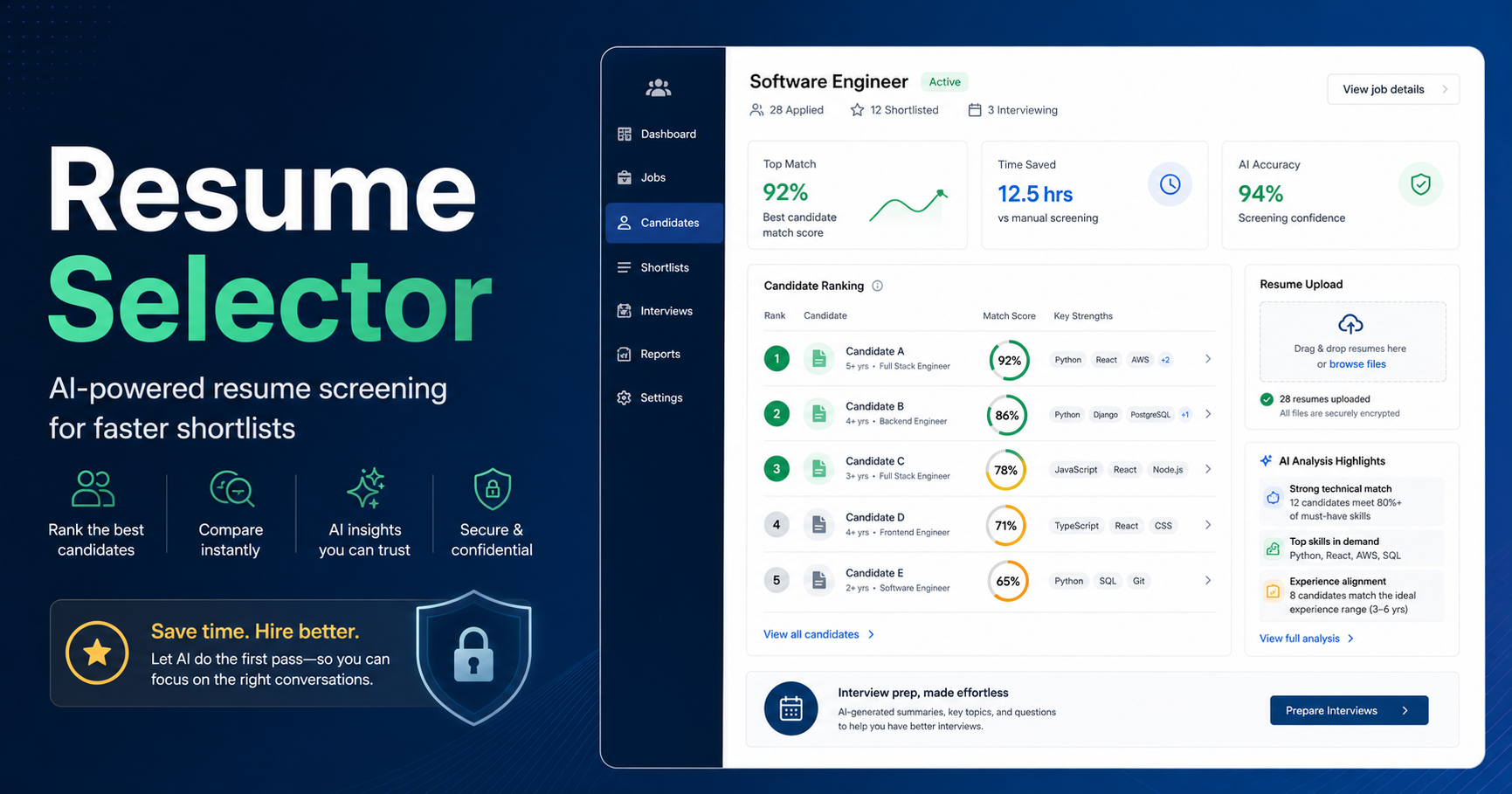
For a small agency that wants a focused, human-reviewed screening workflow, Resume Selector is worth considering when the immediate job is to evaluate resumes against a role, compare evidence, prepare questions, and produce a client-ready shortlist report. It is not presented as an ATS replacement or an automatic decision-maker.
For agencies that need a broad recruiting system with jobs, pipelines, communication, and reporting in one place, JobAdder, Bullhorn, Zoho Recruit, or Manatal may be a better operational fit. Greenhouse, Lever, Workable, and Ashby are stronger candidates when the agency is working inside a client’s hiring stack or needs a more extensive ATS environment.
The practical choice is to start with one live role. Ask each vendor to show how a recruiter can define criteria, inspect the evidence behind a recommendation, record a manual decision, compare finalists, and share the result with a client.
Comparison table: resume screening tools for small agencies
Tool
Best fit
Screening strengths
What to check before buying
Human control
Resume Selector
Agencies that need a focused first-pass and shortlist workflow
Small and midsize teams wanting an all-in-one hiring system
Candidate profiles, screening support, interview kits and scorecards
Agency-specific CRM needs and plan-level feature availability
Hiring teams review and move candidates
Lever
Teams that need ATS plus relationship management
Candidate relationship management, collaborative feedback and structured process
Whether its model fits multi-client agency work
Recruiting team owns decisions
Greenhouse
Structured hiring programs and client-side collaboration
Interview kits, scorecards, structured evaluation and reporting
Budget, implementation, and whether it is more platform than you need
Human decision-making remains part of the workflow
Ashby
Process-focused teams that want configurable ATS and analytics
Interview plans, scorecards, workflow configuration and analytics
Complexity and administrator capacity
Teams set process and submit feedback
The table is a starting point, not a feature certification. Vendors change packaging and capabilities regularly, so confirm the functions that matter to your agency in a current demo and contract.
How we evaluated these tools
An agency screening tool should be judged by the work it helps a recruiter complete, not only by whether it uses AI. We used six practical questions:
Can the recruiter translate a client brief into visible screening criteria?
Does the tool show why a candidate appears to match, miss, or need clarification on those criteria?
Can a recruiter compare several candidates against the same role without relying on memory?
Does it support usable notes, interview preparation, or a shortlist report?
Does it fit agency realities, including multiple clients, repeat roles, and handoffs?
Is it clear where the human reviewer makes the decision?
We also gave less weight to broad claims about "better hires" or "unbiased" outcomes. Those outcomes depend on the role brief, the evidence available, the interview process, and the people making the decisions. Software can make a process easier to follow. It cannot remove the need for sound recruiter judgment.
1. Resume Selector
Resume Selector is a focused AI-assisted resume screening tool for recruiters who want structure at the first-review and shortlist stage. You create a role, work from its criteria, upload resumes, and review candidate analysis. The product is designed to surface strengths, missing information, and score explanations rather than simply provide a black-box ranking.
Best for: a solo recruiter or small agency that already has a place to manage contacts and jobs, but needs a more consistent way to screen a resume batch and prepare shortlists.
Watch-outs: Resume Selector is not a full staffing CRM, job board, or placement accounting system. Agencies that need those functions should consider it alongside, rather than in place of, their core ATS or CRM. Recruiters should still read the source resume, check unclear evidence, and decide whether to advance, hold, reject, or contact someone.
2. JobAdder
JobAdder is commonly evaluated by staffing and recruiting agencies because it combines ATS and CRM-style agency workflow. That broader scope can appeal to a desk that needs to manage candidates, clients, jobs, submissions, and activity in one operating system.
Its value in a screening comparison depends on how your team currently works. If the bigger problem is not just reading resumes but keeping client records, job activity, and candidate communication connected, an agency platform can reduce handoffs. A recruiter should still test whether the fields, stages, and notes make it easy to capture role-specific evidence instead of forcing every desk into the same generic process.
Best for: agencies seeking a central operating system for agency recruiting rather than a single-purpose screening layer.
Watch-outs: broad platforms reward deliberate configuration. Ask who will own templates, fields, permissions, and reporting after implementation. Also ask to see the exact candidate review experience, not just the client pipeline overview.
3. Bullhorn
Bullhorn is a long-established platform in staffing and recruiting. Its appeal is operational breadth: agencies can evaluate it for ATS/CRM workflow, sales and recruiting coordination, reporting, and an ecosystem of related tools and integrations.
Best for: established staffing businesses that need a configurable central platform and can support a more involved rollout.
Watch-outs: verify the total project scope, including data migration, integrations, training, and administration. During a demo, have a recruiter screen five real or anonymized resumes for one role. That exercise shows whether the day-to-day review is clear enough for the people who will use it.
4. Zoho Recruit
Zoho Recruit is a recruiting product with configurable workflows and a candidate database, and it can be attractive to small teams that are comfortable tailoring software to their process. For agencies already using other Zoho products, that wider ecosystem may be part of the appeal.
Best for: cost-conscious or systems-minded agencies willing to configure an ATS around a defined workflow.
Watch-outs: establish ownership for administration and test the experience for client submissions and role-specific comparisons. Also confirm which AI, automation, reporting, and integration capabilities are included in the plan under consideration.
5. Manatal
Manatal positions itself around ATS and CRM work for recruiting teams and agencies, with candidate sourcing and pipeline management among the areas agencies may evaluate. It can be a practical option for a firm that wants recruiting operations and candidate relationship management in one product.
For resume screening, the important question is not whether candidate profiles can be stored or searched. Most ATS products can do that. Ask whether your recruiters can record the difference between an explicitly demonstrated skill, a keyword listed without context, and a point that needs an interview question. That distinction is where a screening process becomes useful.
Best for: small and midsize agencies looking for an agency-oriented ATS/CRM with a modern interface.
Watch-outs: request a test of real workflows: import candidates, open a job, compare profiles, prepare a submission, and retrieve the reasoning later. Check data export and integration requirements before committing.
6. Workable
Workable is an all-in-one hiring platform that small and midsize organizations often consider for job posting, applicant tracking, candidate screening, interview coordination, and collaboration. Its product materials describe AI-generated profile summaries, match-related information, requirement checklists, standardized interview tools, and anonymized screening options.
It can work well when an agency needs a polished ATS experience or supports a client that already uses Workable. The interview-kit and scorecard approach is especially relevant for bringing the hiring manager into a structured evaluation. Application questions can also gather clarifying information before a resume review, if they are role-relevant and appropriate.
Best for: agencies with direct hiring workflows or clients that need broad, collaborative hiring software.
Watch-outs: distinguish features designed for an employer’s own hiring process from features an agency needs across many clients. Do not treat a match score or a screening label as a final conclusion. Review the underlying profile and use a human process for candidate movement.
7. Lever
Lever combines applicant tracking with candidate relationship management. That combination can suit teams that need to maintain relationships with prospective candidates while also running active requisitions. Its collaborative workflow and feedback collection can help when several people need to contribute to an evaluation.
Best for: teams that need ATS workflow and ongoing candidate relationship management in one system.
Watch-outs: ask about support for agency, client, and permission models. Test the workflow from first resume review to client-facing recommendation, not only the candidate database and sourcing views.
8. Greenhouse
Greenhouse is widely associated with structured hiring. Its current product materials describe defined role requirements, interview kits, scorecards, automation, and reports. That makes it a credible choice for organizations that need a formal interview process and consistent feedback across a hiring team.
Small agencies often encounter Greenhouse because a client uses it. In that situation, learning to provide strong, evidence-based submissions that map to the client’s scorecard can be more useful than adding another overlapping system. For an agency buying its own software, Greenhouse is worth assessing when hiring-process rigor and stakeholder collaboration outweigh the need for a lightweight setup.
Best for: structured hiring environments, especially when a client already works in Greenhouse.
Watch-outs: it can be more platform than a very small agency needs. Confirm implementation effort, access models for external recruiters, and the specific reviewer controls your team requires. Structured scorecards support consistency; they do not decide who should be hired.
9. Ashby
Ashby is an ATS platform that emphasizes configurable recruiting operations, interview plans, scorecards, scheduling, and analytics. It is often considered by teams that want more control over process design and reporting than a simpler applicant tracker may offer.
That can be useful for an agency with a disciplined workflow and someone prepared to own it. A well-designed scorecard gives recruiters and hiring managers a shared language for assessing evidence. It also makes it easier to identify when a candidate lacks information rather than incorrectly treating an unclear resume as proof of weak fit.
Best for: process-oriented teams that value configurable workflow and recruiting analytics.
Watch-outs: configuration only helps if the criteria are stable and the team actually uses them. Ask for a hands-on test of screening, scorecard completion, candidate comparison, and client or stakeholder reporting.
How to choose the right tool for your agency
Start with the bottleneck, then choose the category. If recruiters lose time because resumes arrive as unstructured PDFs and shortlists are rebuilt in slides or email, start with a screening and shortlist workflow. If they lose time switching between client records, jobs, candidate notes, and placements, an agency ATS/CRM may take priority.
Use one current position as a vendor test. Bring a brief with three required criteria, three preferred criteria, and five anonymized resumes. Ask the vendor to show:
how requirements are defined before candidates are reviewed;
how a reviewer sees evidence and missing information;
how a recruiter corrects or adds context;
how two finalists are compared;
what a hiring manager or client receives; and
where the recruiter retains responsibility for the final recommendation.
Avoid buying solely from a feature grid. The best screen is whether a recruiter can explain a shortlist clearly after using the product for an hour.
Before that test, use the free job description analyzer to separate must-haves, preferences, and points that need a conversation. A clear brief makes every software demonstration more revealing.
FAQ
What is resume screening software?
Resume screening software helps recruiters organize and review candidate information against a job’s criteria. It may parse resumes, support scorecards, surface relevant evidence, collect feedback, compare candidates, or prepare reports. It should support, not replace, recruiter review.
Do small agencies need a full ATS to screen resumes?
Not always. An agency with a capable CRM or a small number of active roles may need a focused screening tool first. A full ATS is more appropriate when jobs, candidate records, communication, submissions, reporting, and placements need to operate together.
What should an explainable candidate score include?
It should identify the role criteria used, the resume evidence that supports each criterion, missing or unclear information, and the limits of the assessment. A single number without context is not enough for a client-facing recommendation.
Should screening software make unattended rejection decisions?
An agency should keep that decision with a human reviewer. AI-assisted analysis can identify missing information or help prioritize review, but it cannot understand every career path, resume format, or client nuance. Review the evidence and make the decision yourself.
How many candidates should be on a client shortlist?
There is no fixed number. The right shortlist is small enough for a client to review carefully and broad enough to show viable options. Include a concise explanation of fit, open questions, and recommended next steps for every person you submit.
Conclusion
Small agencies should choose resume screening software based on the quality of the review it enables. The core test is simple: can a recruiter turn a role brief and a pile of resumes into a shortlist that is clear, evidence-based, and still owned by a person?
Agency ATS platforms such as JobAdder, Bullhorn, Zoho Recruit, and Manatal may be the right foundation when operational workflow is the priority. Broader hiring platforms such as Workable, Lever, Greenhouse, and Ashby are worth considering for collaborative or client-side hiring environments. Resume Selector is a focused option for agencies that want more structure in first-round screening, candidate comparison, interview preparation, and shortlist reporting without handing decisions to software.
Try Resume Selector for a structured first pass
If your agency is spending too much time turning resume notes into a client-ready shortlist, view the sample shortlist. Resume Selector helps organize role criteria, candidate evidence, comparisons, interview questions, and reports. Your recruiter remains responsible for every hiring decision.