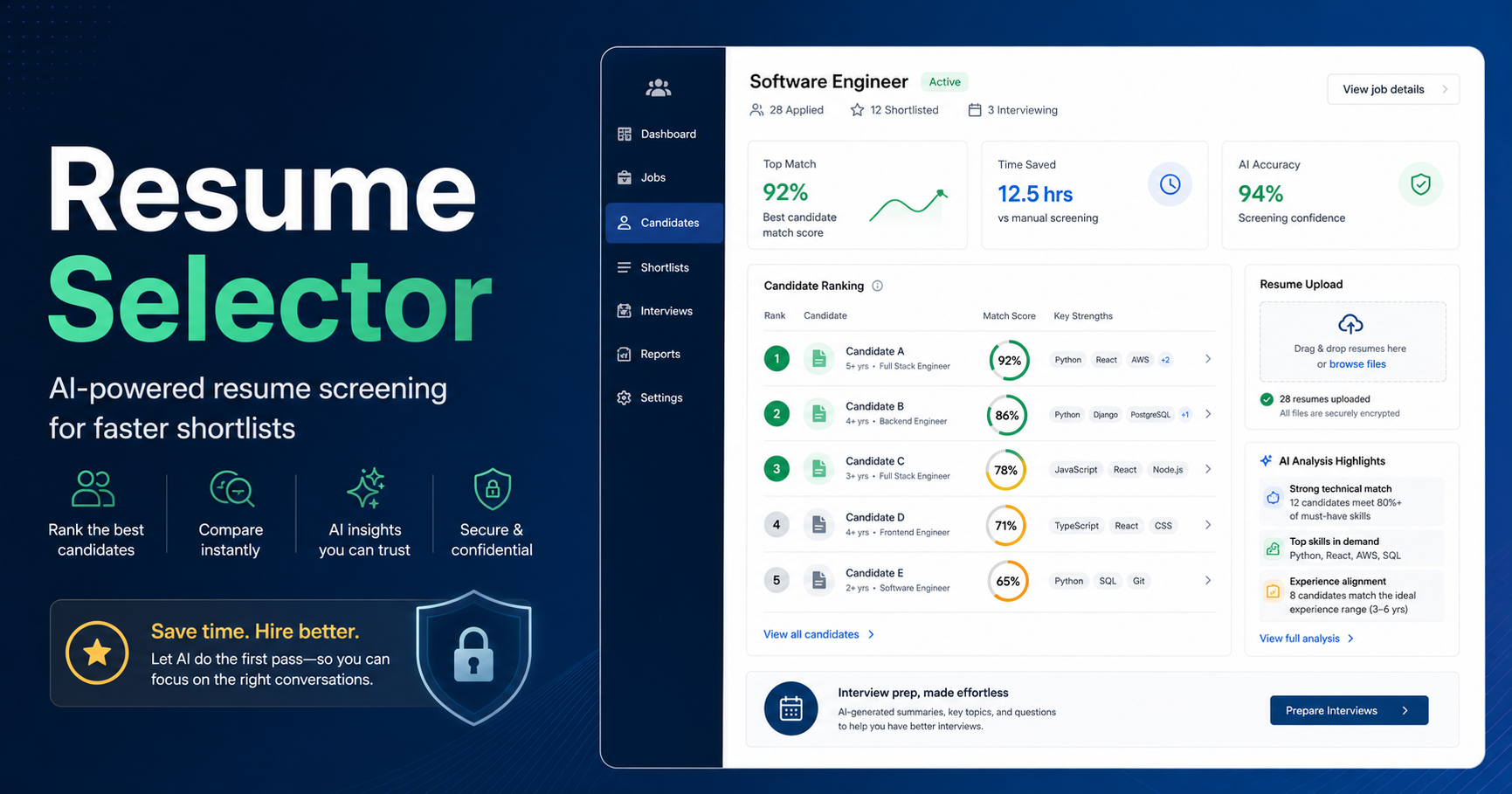
Best Resume Screening Tools That Keep Recruiters in Control
A practical comparison of resume screening tools for teams that want structure, transparent review, and recruiter-led hiring decisions.
Resume Selector TeamSep 17, 202613 min read
Recruiters do not need software that claims to know more about a candidate than the recruiter does. They need software that makes the first review easier to see, easier to question, and easier to explain.
That is the difference between AI-assisted screening and autopilot hiring. A useful system can extract details from a resume, compare them with a role brief, organize evidence, point out gaps, and help prepare an interview. It should not silently turn a partial document into a final hiring judgment. Resumes are incomplete by nature. They may omit relevant work, use unfamiliar language, or describe a project without making individual ownership clear. A responsible process leaves room for a recruiter to interpret that context.
For a fuller explanation of the operating principle, read why AI should support recruiters, not replace them. The central question is whether the workflow leaves the evidence and next step visible to the person accountable for the recommendation.
Quick answer
The best resume screening tools that keep recruiters in control have four traits: they use visible role criteria, show evidence or reasoning behind a candidate assessment, allow a reviewer to add judgment and change the outcome, and support a structured handoff to the next step.
Resume Selector is a focused option for teams that want role-based analysis, explainable scoring, candidate comparison, interview questions, and shortlist reports while retaining human decisions. , , , , , , and are broader recruiting platforms to consider when the team also needs an ATS, interview workflow, talent CRM, or employer-branding infrastructure.
No product can guarantee unbiased or compliant hiring by itself. Use structured criteria, inspect source evidence, train reviewers, and keep people responsible for decisions. If a vendor’s pitch makes those safeguards disappear, ask harder questions.
Comparison table: tools for recruiter-controlled resume screening
Tool
Best fit
Controls worth evaluating
Useful workflow support
What not to assume
Resume Selector
Focused first-round screening and client shortlists
Reviewable score explanations, candidate comparison and recruiter-led status decisions
It is not a full ATS or an automatic decision engine
Greenhouse
Structured hiring with many stakeholders
Defined role requirements, interview kits, scorecards and reviewer feedback
Hiring plans, scheduling and reporting
A scorecard alone does not create a good decision
Workable
Small and midsize all-in-one hiring teams
Reviewable candidate profiles, screening information and interview scorecards
Job management, applications and interview coordination
Match information still needs human review
Lever
Teams combining ATS and candidate relationship management
Collaborative feedback, user roles and hiring-team process
Candidate relationship management and interview feedback
CRM data is only useful if teams keep it current
Ashby
Configurable, process-oriented recruiting teams
Role-specific interview plans, scorecards and workflow configuration
ATS workflow, scheduling and analytics
More configuration is not automatically more clarity
SmartRecruiters
Organizations with broader enterprise recruiting needs
Configurable workflows, collaboration and governance controls
ATS, marketplace integrations and recruiting operations
Enterprise scope may exceed a small team’s needs
Pinpoint
Teams that value structured hiring and candidate experience
Scorecards, permissions and configurable hiring stages
ATS, careers site and hiring-manager collaboration
A polished application process does not replace review quality
Teamtailor
Teams prioritizing a collaborative ATS and employer brand
Pipeline visibility, team feedback and controlled stage movement
Careers site, campaigns and recruiting workflow
Automation needs careful owner review
The details behind these categories vary by plan and change over time. Confirm current product scope in a demo, especially permissions, AI controls, scorecard design, and any workflow that proposes or changes a candidate’s status.
Methodology: what “recruiter control” means
Recruiter control is not the same as rejecting all automation. It means the process makes human oversight practical. We assessed each type of product against these questions:
Criteria first: Can the team define what matters for this role before reviewing candidates?
Visible evidence: Can a recruiter see the resume details, scorecard feedback, or explanation behind an assessment?
Room for uncertainty: Can a reviewer identify a missing detail and turn it into a follow-up question rather than an unsupported conclusion?
Meaningful intervention: Can the recruiter revise a status, add notes, or disagree with a recommendation without fighting the system?
Consistent handoff: Can the next reviewer understand why the candidate is being advanced, held, or not submitted?
Appropriate scope: Does the product fit the team’s actual process, rather than forcing a small team to run an enterprise implementation?
This is deliberately different from asking which tool is "most automated." More automation can reduce administrative repetition. It can also hide assumptions. For early-stage resume review, transparency is often more useful than a confident-looking output. A good system helps a recruiter focus on what to read and ask next.
1. Resume Selector
Resume Selector is designed for AI-assisted resume screening with a human-led hiring workflow. Recruiters set up a role and use the resulting criteria to review candidate analyses. The product supports structured evaluation, explainable candidate scoring, comparison, interview question generation, and shortlist report generation.
Its control model is straightforward: an analysis is an input to the recruiter’s work, not a decision. A score without a reason is not enough, so the recruiter can review supporting evidence, missing information, and candidate context before deciding what happens. That is particularly helpful when candidates have nontraditional backgrounds or resumes that do not neatly express the experience they have.
Best for: an agency or lean hiring team that wants a dedicated first-pass workflow and a better bridge from resume review to shortlist.
Why it supports control: the product centers role criteria, explanations, comparisons, and recruiter review. It can also turn gaps in the resume into interview questions rather than treating them as definitive negative evidence.
Watch-outs: Resume Selector is not intended to replace a full ATS, sourcing platform, or HR system. A recruiter should review original documents and avoid using any tool’s analysis as a final decision.
2. Greenhouse
Greenhouse is a broad hiring platform strongly associated with structured hiring. Its current product materials describe role requirements, interview kits, candidate scorecards, feedback collection, automation, and reporting. Those building blocks can help a team create a shared evaluation process from job kickoff through interview debrief.
Best for: organizations or client-side teams that need structured hiring across multiple stakeholders.
Why it supports control: role-specific plans and scorecards make the criteria visible before evaluation. Its workflow can organize feedback around those standards.
Watch-outs: it is a broad platform and may be more operationally involved than a small agency needs. Structured templates should be reviewed regularly so they reflect the role, not an old hiring habit.
3. Workable
Workable is an all-in-one hiring platform used by small and midsize teams for applicant tracking and collaborative recruitment. Its product documentation describes candidate screening support, AI-generated candidate summaries and match-related information, requirement checklists, anonymized screening, and standardized interview kits and scorecards.
This can be useful when a hiring team wants to organize application volume while keeping evaluation anchored to the job. Interview kits can make handoffs less ambiguous, and screening information can help a recruiter quickly identify what to verify. The important practice is to treat generated summaries and match indicators as a route back to the source material, not as a reason to skip it.
Best for: teams seeking one accessible system for job management, applicants, coordination, and structured evaluation.
Why it supports control: reviewers can work from candidate profiles, role requirements, and structured interviewer feedback rather than a simple inbox triage.
Watch-outs: validate which features are available in your plan and test the agency or multi-client use case if that applies. Initial screening categories should not be used as automatic, unreviewed candidate outcomes.
4. Lever
Lever combines applicant tracking with candidate relationship management. It is often considered by teams that need to keep warm candidates and active applicants in connected workflows, with collaborative feedback from hiring teams.
Best for: recruiting teams that want ATS process and ongoing candidate relationship management together.
Why it supports control: collaborative feedback and relationship context can give a human reviewer a fuller basis for a decision than an isolated resume.
Watch-outs: a rich candidate record can create noise. Establish what information is relevant to the current role and keep evaluation criteria tied to the job rather than personal familiarity.
5. Ashby
Ashby offers an ATS with configurable workflow, interview planning, scorecards, scheduling, and recruiting analytics. It can appeal to teams that want to define their hiring process in more detail and understand how it is performing.
For recruiter control, configuration has a clear upside and a clear risk. You can build role-specific stages, questions, scorecards, and reporting. But a process with too many fields or overly complex rules becomes hard to follow. The best setup is usually the smallest one that makes the decision criteria and required feedback clear.
Best for: process-minded teams with the capacity to own and refine their recruiting workflow.
Why it supports control: teams can make the expected evidence and feedback visible at each stage, rather than relying on a generic candidate score.
Watch-outs: do not confuse configuration depth with process quality. Test whether a new hiring manager can complete a clear evaluation quickly and whether a recruiter can retrieve it during a debrief.
6. SmartRecruiters
SmartRecruiters is a broader talent acquisition platform with recruiting workflow, marketplace integrations, and enterprise-oriented capabilities. It may be evaluated by organizations that need coordination across regions, business units, or a larger recruiting operation.
Best for: larger or scaling organizations that need a comprehensive recruiting platform.
Why it supports control: standardized workflow and controlled collaboration can make ownership and handoffs visible across a complex process.
Watch-outs: enterprise software can be disproportionate for a small agency or lean hiring team. Consider implementation effort and whether the daily candidate review experience remains simple.
7. Pinpoint
Pinpoint is an ATS that emphasizes hiring-team collaboration, candidate experience, careers-site tools, and structured recruitment process. Teams may evaluate it when they want hiring managers to participate in a more organized workflow without turning recruiting into a patchwork of email and spreadsheets.
Control is improved when recruiters can see who is expected to review a profile, what feedback is still missing, and what criteria the team agreed to assess. The system cannot force thoughtful feedback, but it can make the need for it visible.
Best for: teams that want structured hiring-manager collaboration alongside an ATS and branded candidate experience.
Why it supports control: defined stages, scorecards, and permissions can clarify who contributes to a decision and when.
Watch-outs: ask to see the full candidate-review and feedback experience, including reminders and permissions. Confirm that the template can be adjusted for very different roles rather than applied indiscriminately.
8. Teamtailor
Teamtailor is an ATS that is often associated with employer branding, careers sites, candidate attraction, and collaborative hiring workflows. It may be a good fit for teams that want to make the front end of recruiting more engaging while maintaining a visible pipeline for internal reviewers.
For early-stage screening, the relevant question is whether pipeline labels and automated actions help recruiters stay organized without obscuring the reasoning for a move. A recruiter should be able to tell the difference between a logistical stage change and an evidence-based assessment of fit.
Best for: teams that care about candidate experience and collaborative recruiting workflow.
Why it supports control: shared candidate records and visible pipeline work can support coordination between recruiter and hiring manager.
Watch-outs: review automation carefully. A convenience rule should not become an opaque gate that changes a person’s opportunity without a human understanding why.
How to put control into the screening process
Choosing a product is only one part of the decision. A recruiter-controlled workflow can be built around five habits:
Write the brief before opening the batch. Separate required qualifications, preferred experience, and questions that can only be answered in a conversation.
Look for evidence, not only terms. A resume that says "Salesforce" is different from one that describes administering a Salesforce rollout. Both may deserve attention, but the follow-up is different.
Make uncertainty visible. Use an "unclear" or "needs review" state instead of forcing every profile into a yes-or-no conclusion.
Record your own reason. Before moving a candidate, add a short recruiter note about the evidence, open question, or reason for the next step.
Use a consistent handoff. A hiring manager should see the role criteria, key evidence, gaps, and suggested interview topics, not merely a rank.
This approach is good recruiting practice with or without AI. AI can help extract and organize information. It cannot own the consequences of a decision, explain a client relationship, or replace a well-prepared conversation.
Questions to ask any screening vendor
Ask these questions during a product evaluation:
Can I see the exact criteria used for this candidate assessment?
Can I inspect the source evidence and mark information as unclear?
Can I change a recommendation or candidate status manually, and is my note retained?
What AI-generated outputs are optional, and how can administrators manage them?
Can we compare several candidates against the same role criteria?
What does a hiring manager or client see when we share a shortlist?
How are permissions, data access, and export handled in the workflow we need?
A direct answer to these questions is more meaningful than a promise that the system will make screening effortless.
You can also test this with a single profile using the free resume screening tool. Treat the output as a review aid, inspect the source document, and decide which question or action is appropriate.
FAQ
What does human-led hiring mean?
Human-led hiring means people remain responsible for evaluating candidates and making employment decisions. Software can organize resumes, create summaries, suggest questions, and support comparison, but recruiters and hiring managers review the evidence and decide the outcome.
Is explainable scoring better than a single candidate score?
It is more useful for review. An explainable assessment identifies the criteria, supporting evidence, and gaps behind a result. That gives a recruiter something to verify, discuss, or correct. A single number has little value if nobody can understand its basis.
Can screening software eliminate bias?
No. Software cannot guarantee a hiring process free of bias. Structured job criteria, consistent evaluation, thoughtful review, and accountable human decision-making can support a more deliberate process, but they do not remove the need for ongoing care and oversight.
Should a recruiter use AI-generated interview questions?
They can be a helpful draft. Review them against the role and the candidate’s resume, remove irrelevant questions, and keep questions focused on job-related experience and evidence. The interviewer should understand why each question is being asked.
What should happen when a resume is incomplete?
Treat incomplete information as incomplete. The right next step may be a clarification question, a review of the candidate’s profile or portfolio, or a screening conversation. It should not automatically be treated as proof that the person is unsuitable.
Conclusion
The best resume screening tools keep recruiters in control by making the work more legible, not by making it disappear. Look for role criteria, visible evidence, room to record uncertainty, clear reviewer intervention, and a handoff that a client or hiring manager can understand.
Resume Selector is a focused choice for structured first-round screening, comparisons, interview questions, and shortlist reports. Greenhouse, Workable, Lever, Ashby, SmartRecruiters, Pinpoint, and Teamtailor may be better suited when an organization also needs a wider ATS and collaborative hiring environment. In every case, use the system to support judgment, not to delegate it.
See a recruiter-led shortlist workflow in Resume Selector
Explore the sample shortlist to see how Resume Selector organizes candidate evidence, comparisons, and follow-up questions. It is built to support a recruiter’s review and recommendation, with the final decision staying human.